Get free access

Signal bot with a scan screen

Sami FX Bot AI Scan your broker, then enter on the candle's open.

Choose your broker, a symbol and an expiry, then tap Start scan. Sami FX Bot AI sweeps its screen and answers BUY, SELL or NO TRADE, with the time to enter and the time the trade ends.

  • A scan screen with your broker's mark
  • An entry and an exit time on every signal
  • The next candle when this one is half gone
  • 78 OTC assets, your broker's first
  • 9 brokers
  • 78 OTC assets
  • 4h and 1d free
Reads for
  • Pocket Option
  • Quotex
  • Olymp Trade
  • IQ Option
  • Binomo
+4 more

This is not the official Pocket Option, Quotex, Olymp Trade, IQ Option or Binomo application. It is an unofficial app developed by AutoTradingBots.

Sami FX Bot AI

Real market open

Free preview

Broker
Symbol
Market

Expiry

EUR/USD4h

Quotex

Tap Start scan to read Quotex on EUR/USD.

Entry
--:--:--
Exit
--:--:--
Strength
--
Clock
Your device

Time left in the trade--:--

Times are the engine's, in your clock. Strength is how firmly its inputs agree, never a chance to win.

Educational reads, not financial advice. Read the Risk warning.

Get access

Open Every Sami FX Bot AI Expiry in Three Steps

Choose 4h or 1d and Sami FX Bot AI already scans for free. Three steps open the fourteen faster keys, 5 seconds to 2 hours, on every broker in the list.

  1. On your broker's siteAbout 2 minutes

    Step 1: Open a partner broker account through our link

    Register with one of these partner brokers, on the broker's own site. An account opened through our link is what makes every Sami FX Bot AI expiry free.

    Our partner link
    • Pocket Option
    • Quotex
    • Olymp Trade
    Partner broker sign-up
    • The sign-up form is the broker's
    • We never see your broker password
    • Write down your account ID for step 2
    Pick the broker whose mark you want on the scan screen.
  2. With our support teamUsually a few minutes

    Step 2: Send support your account ID

    Message support with your broker and account ID. Once they see the account came through our link, they open Sami FX Bot AI for the email you sign in with, usually within minutes.

    Message support

    YouHi, my Quotex account was opened through your link. My account ID is below. Please open the fast expiries in Sami FX Bot AI.

    SupportDone. Sign in and tap any expiry key.

    Telegram, WhatsApp or email. One team reads all three.
  3. On this pageA few seconds

    Step 3: Sign in and scan on any expiry

    Sign in with the email support confirmed. The padlocks leave the expiry keys at the top of this page, and a 5-second scan works like a daily one.

    Before you sign in

    5s10s15s30s

    After you sign in

    5s10s15s30s
    Nothing to install. The keys simply open.

What it is

Sami FX Bot AI: A Scan Screen With a Clock

Sami FX Bot AI is one screen for one read. Choose a broker, a symbol and an expiry, tap Start scan, and the screen answers BUY, SELL or NO TRADE with the time to enter and the time the trade ends.

The screen shows what it is reading: your broker's mark in the middle, the symbol and expiry along the top, and the Sami FX widget at its side. A light sweeps down the screen while the engine reads.

The answer is always for a candle you can take whole. On an expiry under an hour, with less than half of the running candle left, the read is for the next candle, and the screen counts down to its open.

Sami FX Bot AI never logs in to your broker, never sees your balance and never opens a trade. The stake and the tap on your broker are yours. Read the Risk warning before you trade with real money.

How to use it

Sami FX Bot AI, Step by Step

Six captures from the app above: the setup panel, the expiry keys, a scan at work, the signal, its times, and the end of the trade.

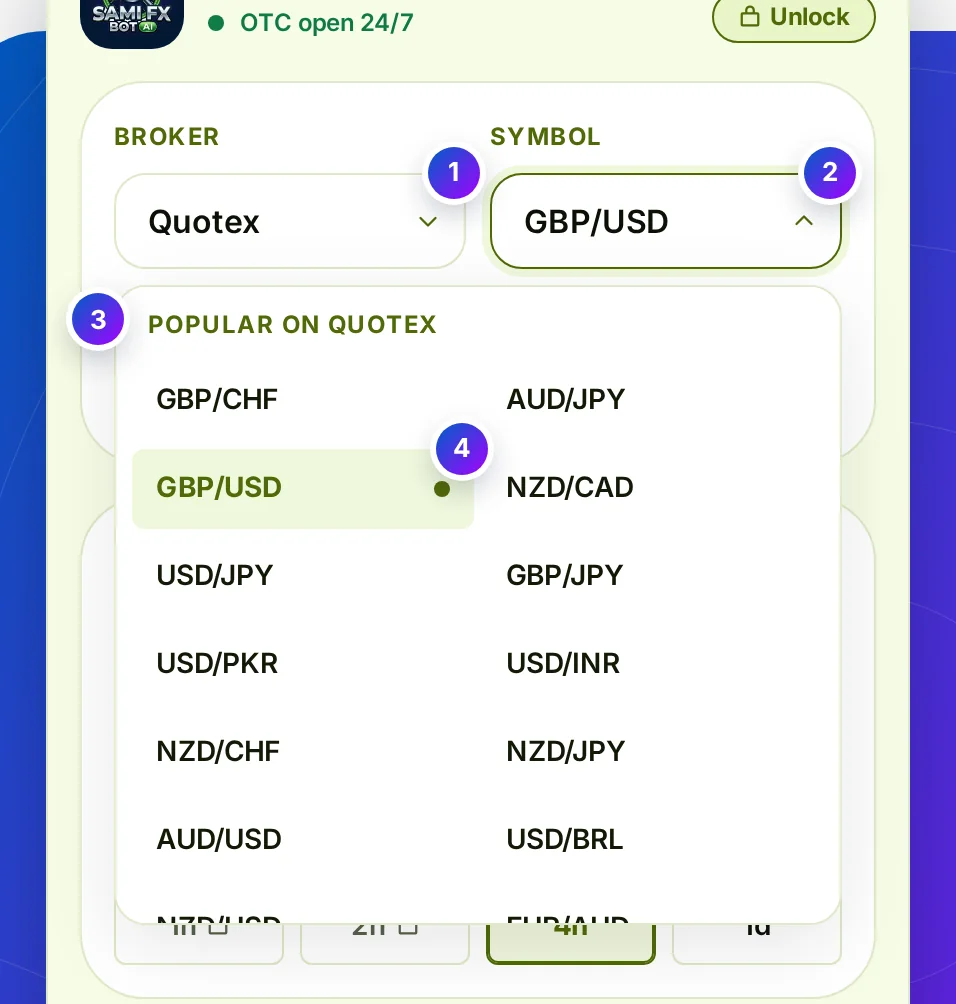
Step 1 of 6Choose broker, symbol and market

Swipe or tap the arrow for the next step

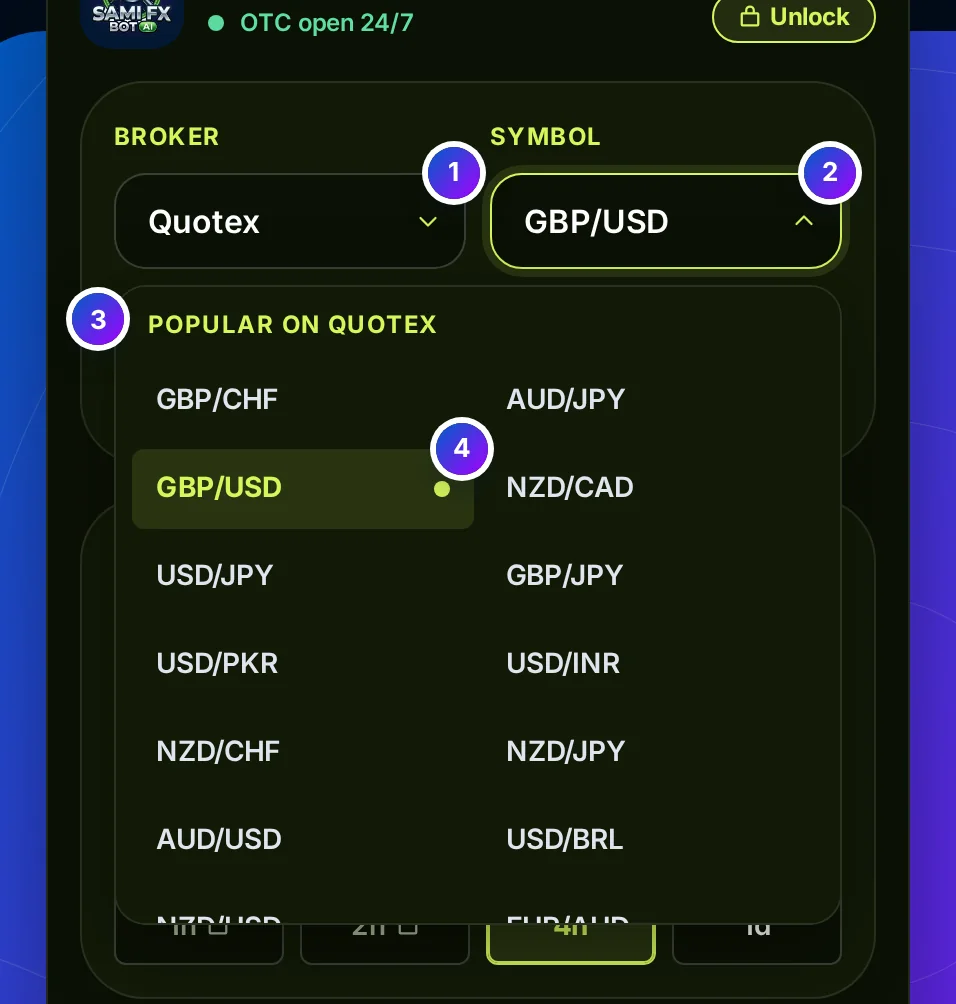
The Sami FX Bot AI setup panel on OTC with Quotex chosen and the Symbol list open: a Popular on Quotex group first, GBP/USD chosen

Step 1 of 6 · Broker and symbol

Three choices in one panel

What it is
The first panel holds the broker, the symbol and the market. The symbol list has 66 assets on the real market and 78 on OTC, in groups.
What it does
On OTC, the pairs your broker is known for lead the list in a Popular group. Changing the broker or the market rebuilds the list and keeps your symbol when it is still there.

What this means for you: choose the broker you are logged in to and the symbol you have open on its chart. The screen below shows both, so you can check before you scan.

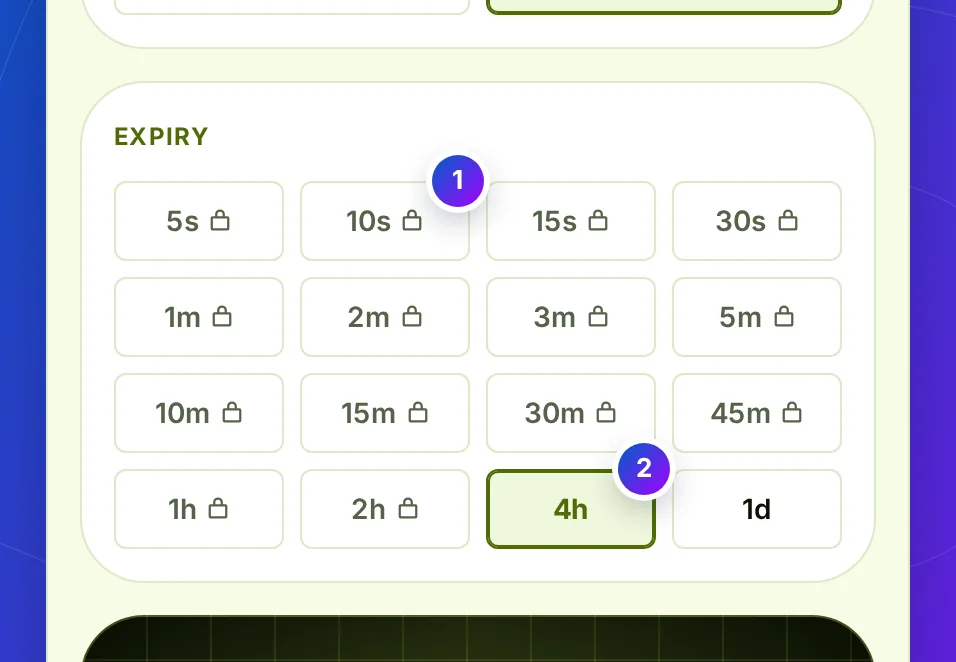
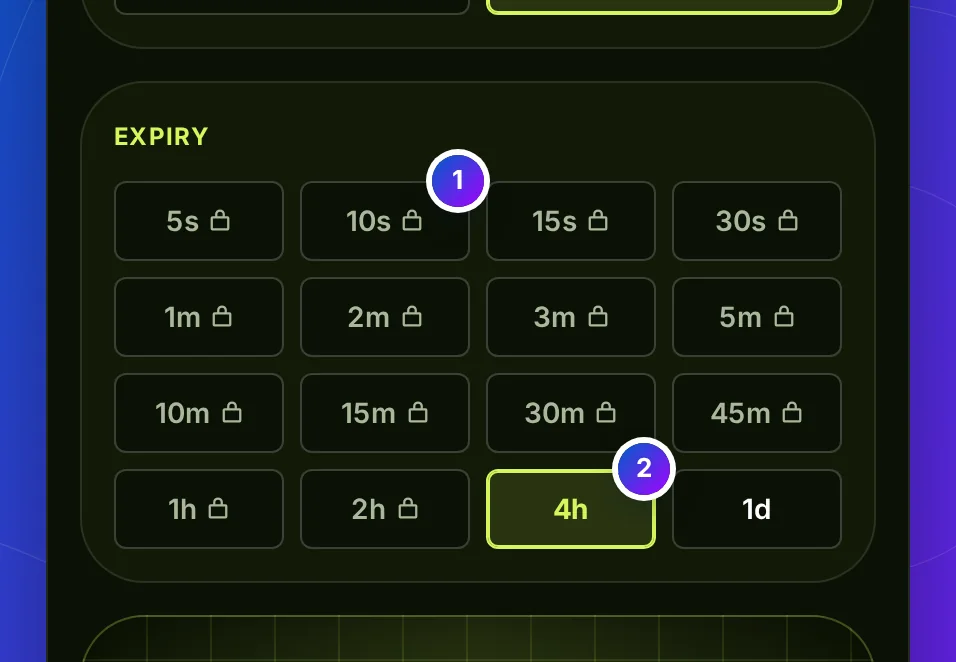
The Expiry keys: 5s to 1d in a grid, padlocks on the fourteen faster ones, 4h pressed

Step 2 of 6 · The expiry

Sixteen expiry keys, the faster ones locked

What it is
The second panel is the length of your trade, from 5 seconds to 1 day. 4h and 1d are free on every broker; IQ Option adds 1h, and Olymp Trade its own 23h key.
What it does
A locked key opens the access window and keeps your last open choice. A licence, signed in or typed in that window, opens every key.

What this means for you: choose the expiry you will buy on your broker. The entry and exit times the screen gives are set for this length.

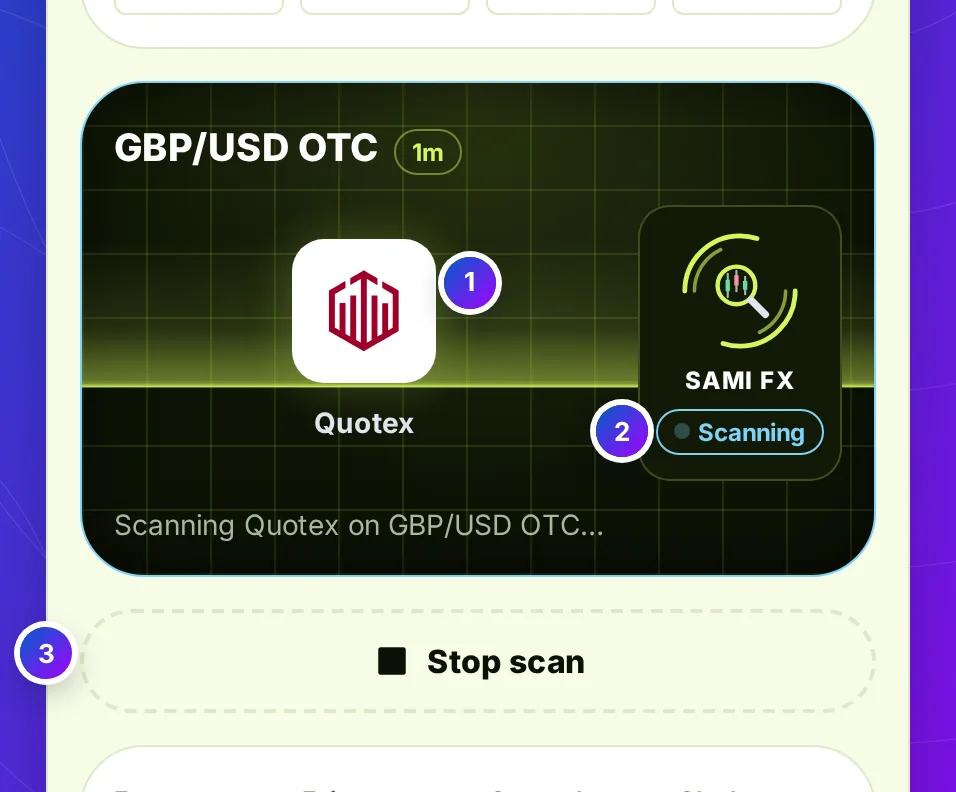
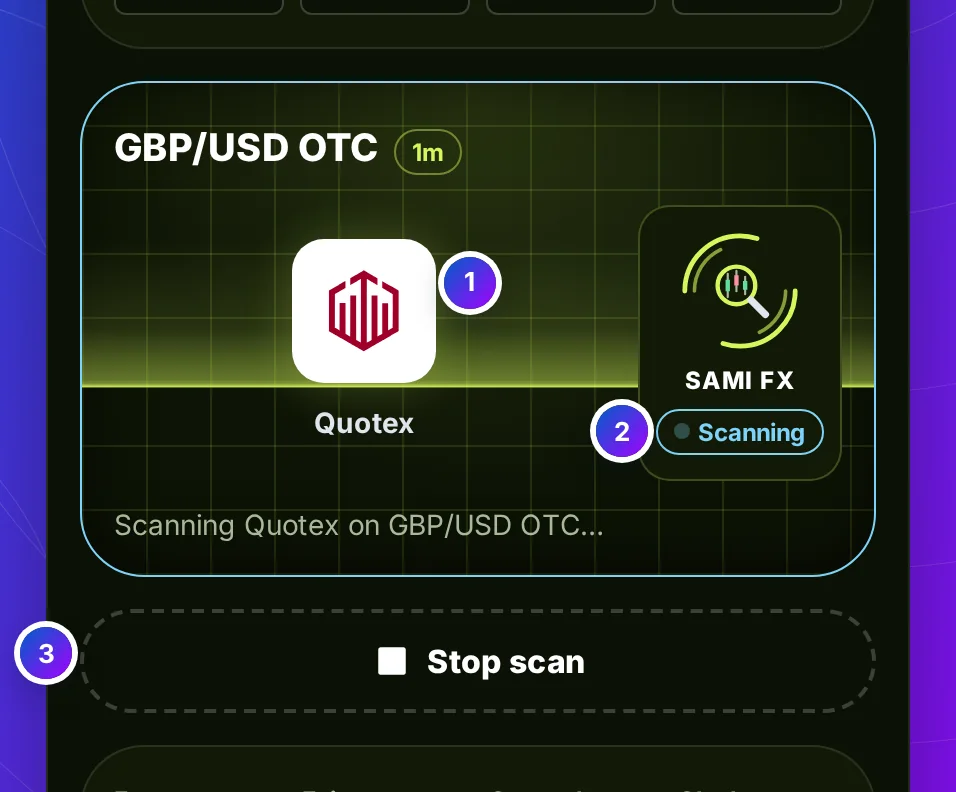
The scan screen at work: the Quotex mark in the middle, GBP/USD OTC and 1m along the top, a volt light halfway down the screen, and the widget saying Scanning

Step 3 of 6 · The scan

A light sweeps the screen while it reads

What it is
Start scan asks the engine for one read. While it works, a light sweeps down the screen and the Sami FX widget turns its rings and says Scanning.
What it does
The key turns into Stop scan, so you can cancel the read and change a choice. On a phone the page brings the screen into view.

What this means for you: check the broker and the symbol on the screen while it sweeps. A read for the wrong symbol is no read at all.

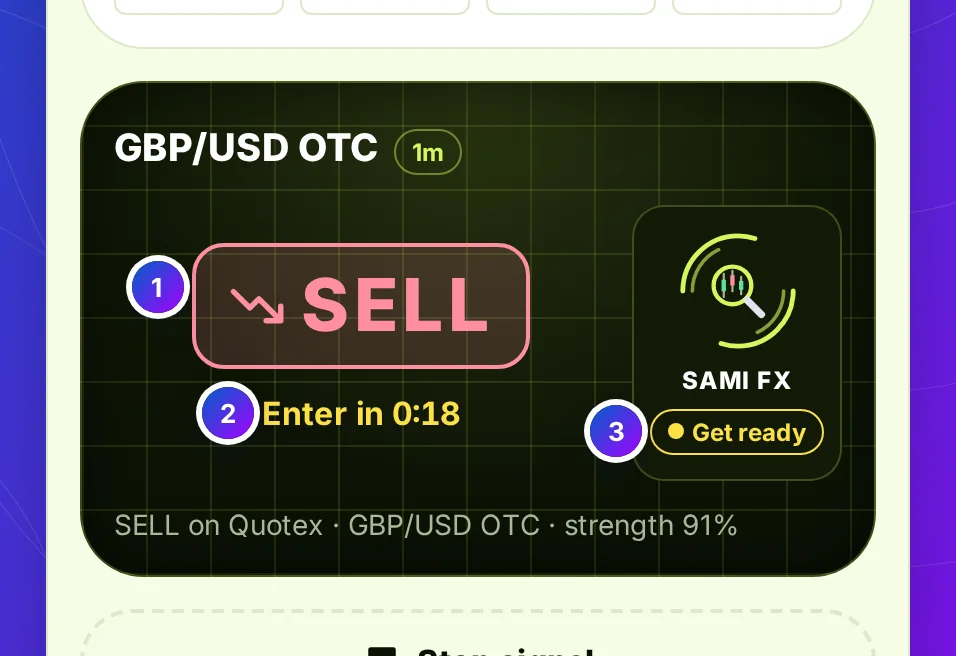
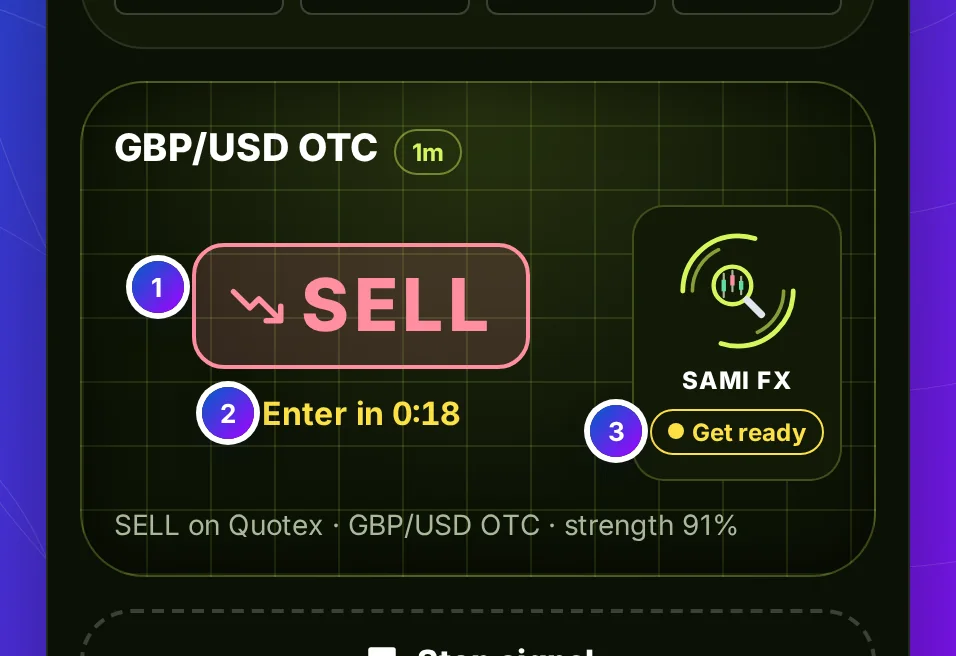
The scan screen with SELL in red over the Quotex mark, Enter in 0:18 under it, and the widget saying Get ready

Step 4 of 6 · The signal

BUY or SELL on the screen, with the wait to enter

What it is
The answer lands on the screen in its own colour: BUY in green, SELL in red, NO TRADE in grey. Under it, the time until you enter.
How to use it
Get ready means the candle the read is for has not opened yet. When it opens, the widget says Running and the screen counts down the trade.

What this means for you: place the trade on your broker when the wait reaches zero, not before. Entering early puts you in a candle the read was not about.

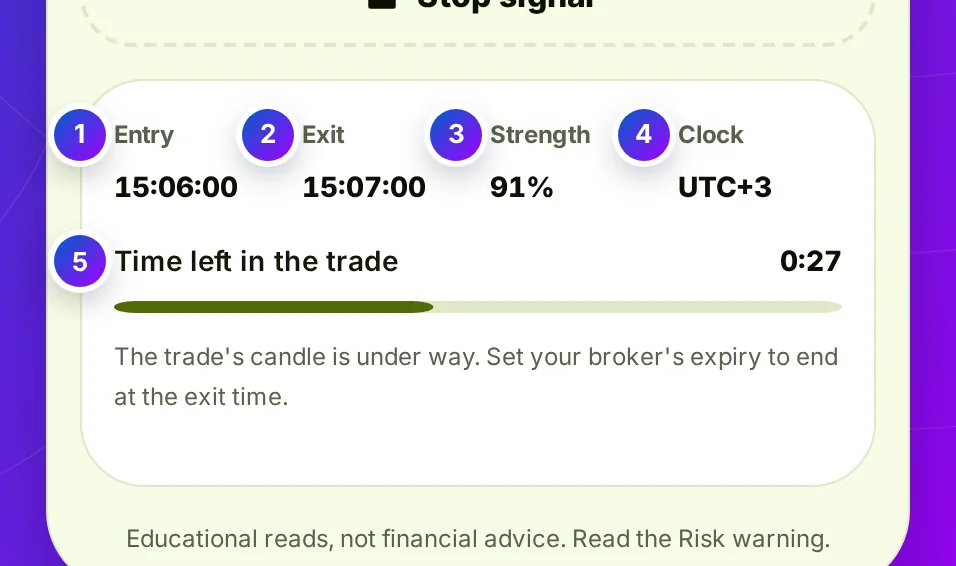
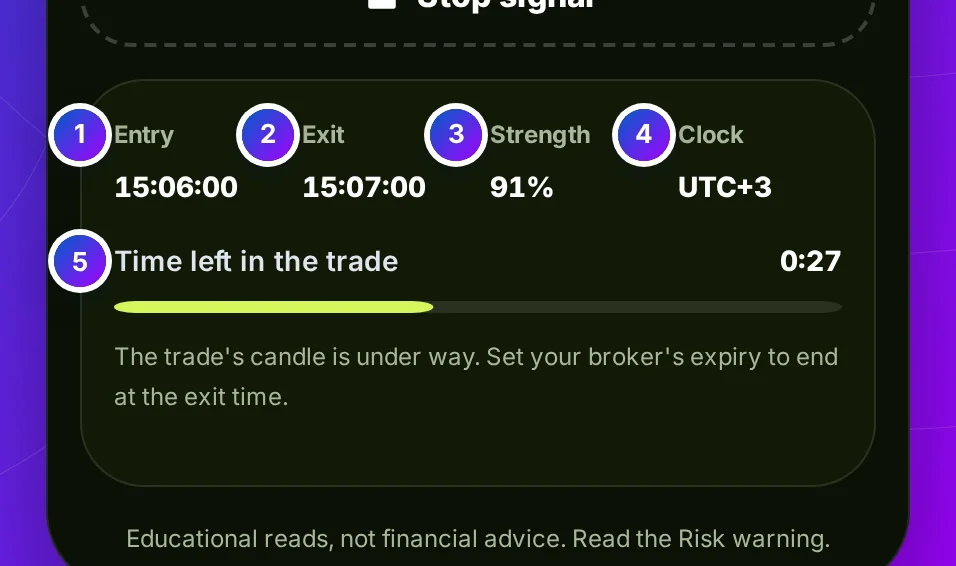
The details panel under the screen: Entry and Exit times, Strength 84%, the clock as UTC+3, and the time left bar running

Step 5 of 6 · Entry and exit

Entry, exit and the time left, in your clock

What it is
Under the screen sit the entry and exit times, the strength, and the clock they are written in: your device's own time zone.
What it does
The bar under them runs down with the trade. Strength is how firmly the engine's inputs line up, never a chance to win.

What this means for you: set your broker's expiry to end at the exit time shown. If the two disagree, trust your broker's own clock.

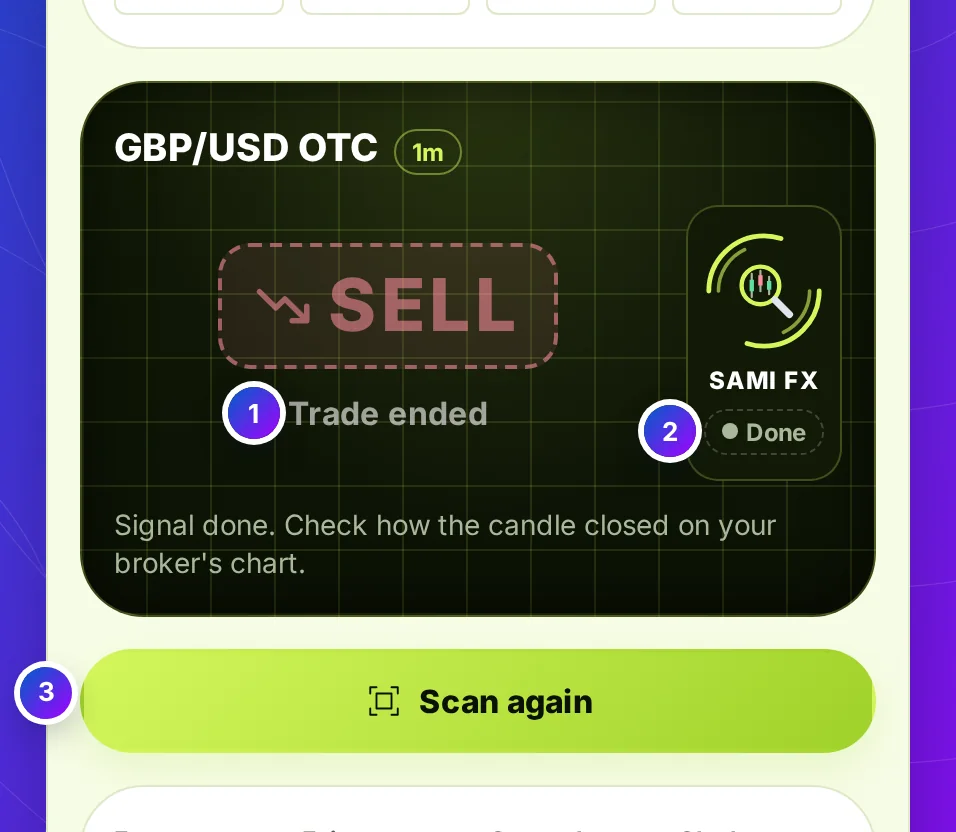
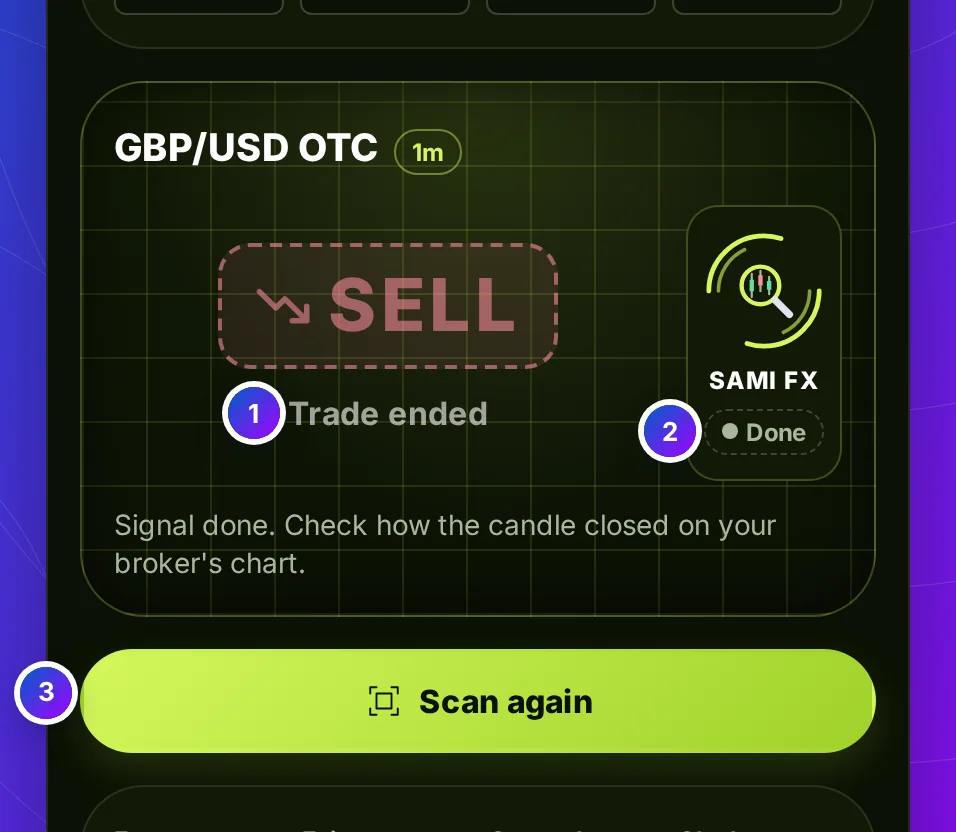
The scan screen after the trade: Trade ended under the dimmed SELL, the widget saying Done, and the key reading Scan again

Step 6 of 6 · After the trade

A signal that ends, then Scan again

What it is
When the exit time passes, the screen says Trade ended, dims the answer and the widget says Done. The key reads Scan again.
What it does
Sami FX Bot AI does not see how your trade closed, so it never scores it. Your broker's chart has the result.

What this means for you: note the result yourself before you scan again. A record you keep is the only honest win rate.

At a glance

Every Part of Sami FX Bot AI in One Picture

Sami FX Bot AI: Scan your broker, then enter on the candle's open. A scan screen with your broker's mark. An entry and an exit time on every signal. The next candle when this one is half gone. Its app on the right shows a CALL read with its AI confidence.

At a glance

Sami FX Bot AI, Line by Line

Everything Sami FX Bot AI does and does not do, in one table, before you open your broker.

Brokers
Pocket Option, Quotex, IQ Option, Olymp Trade, Binomo, Exnova, Bubinga, Deriv and Alpari
Controls
Broker and symbol lists, two market keys, sixteen expiry keys, and one key that scans, stops and scans again
Assets
66 on the real market; 78 on OTC, exotic pairs included, with your broker's own pairs first
The signal
BUY, SELL or NO TRADE on the scan screen, with its strength
Timing
An entry and an exit time in your own clock; on a short expiry with half the candle gone, the next candle
Expiries
16, from 5 seconds to 1 day. 4h and 1d are free on every broker
Weekends
Opens on OTC. A cash-market symbol on the real market waits for the market; crypto still reads
Who places the trade
You do, on your broker. Sami FX Bot AI never trades
Price
Free with a partner broker account, or $49 a month, or $199 once

How it works

How Sami FX Bot AI Works, Scan to Exit

Two choices and a tap to the first signal. After that, the screen keeps time until the trade's exit.

  1. 0 s

    Choose broker, symbol and market

    The first panel. The screen shows your broker's mark and the symbol at once.

  2. 2 s

    Choose an expiry and tap Start scan

    The light sweeps the screen for about two seconds while the engine reads.

  3. Up to half a candle

    Get ready

    If the candle is half gone, the screen counts down to the next open. Place nothing yet.

  4. At the entry

    Place the trade, then let it run

    The widget says Running and the bar counts down to the exit time.

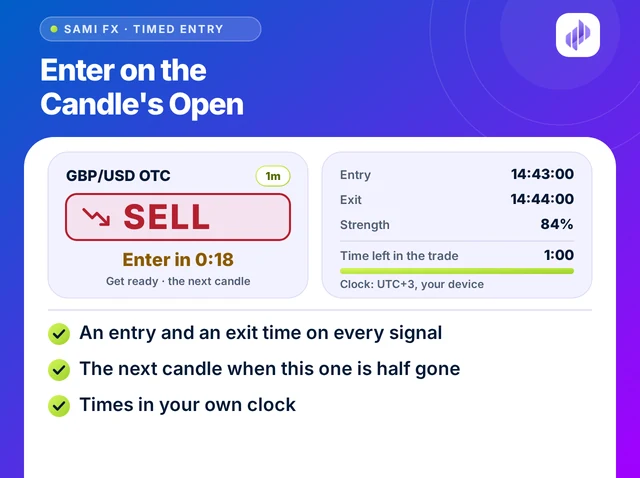
Illustration titled Enter on the Candle's Open: a SELL signal with Enter in 0:18, beside its entry, exit and time left
Enter on the candle's open

Timed entry

Sami FX Bot AI Waits for a Candle You Can Take Whole

A one-minute read with ten seconds of its candle left leaves no time to act on it. Sami FX Bot AI asks the engine for the candle you can still take whole: on an expiry under an hour, once half of the running candle is gone, the read is for the next one, and the screen counts down to its open.

  • An entry and an exit time on every signal
  • The next candle when this one is half gone
  • Times in your own clock
  • A bar that runs down with the trade
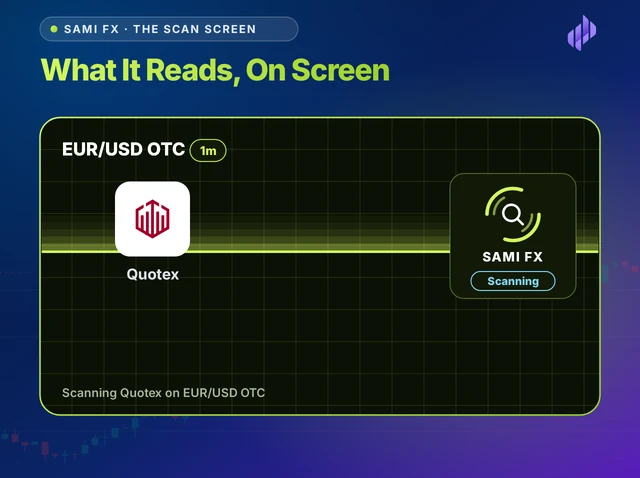
Illustration titled What It Reads, On Screen: a dark scan screen with the Quotex mark, EUR/USD OTC along the top, a volt light sweeping and the widget saying Scanning
What it reads, on screen

The scan screen

One Screen Shows What Sami FX Bot AI Is Reading

Before a read lands you can check what it is about. The scan screen carries your broker's mark in the middle, the symbol and expiry along the top and the widget's status at its side, so a wrong choice shows before you trade. The symbol list holds 78 OTC assets, your broker's own first.

  • Your broker's mark on the screen
  • Symbol and expiry along the top
  • A status that says Ready, Scanning or Running
  • 78 OTC assets, 66 on the real market

Expiries

Sami FX Bot AI Expiries, 5 Seconds to 1 Day

The expiry keys run from 5 seconds to 1 day. The one you choose sets how long the signal runs, and whether the screen may wait for the next candle.

  1. 5s to 30s

    A short wait, a short trade

    The next candle is seconds away, so Get ready rarely lasts long. Decide your stake before you tap Start scan.

  2. 1m to 5m

    Time to set the ticket

    Long enough to set the stake and expiry on your broker while the screen counts down to the entry.

  3. 10m to 45m

    Entry may be minutes away

    With half the candle gone, the screen waits for the next open. Leave the tab open; the countdown keeps time.

  4. 1h to 1d

    Entered now, held for hours

    From an hour up the read is always for the running candle, entered now. 4h and 1d are free on every broker.

On IQ Option 1h is free as well, and on Olymp Trade a 23h key joins the list and is free. Sami FX Bot AI opens exactly the keys the server allows for the broker you chose.

Free and unlocked

Judge Sami FX Bot AI on the Free Expiries First

Opens with a key14 expiries, 5 seconds to 2 hours

Free to trymost brokers

  1. 5s
  2. 10s
  3. 15s
  4. 30s
  5. 1m
  6. 2m
  7. 3m
  8. 5m
  9. 10m
  10. 15m
  11. 30m
  12. 45m
  13. 1h
  14. 2h
  15. 4h
  16. 1d
  • Monthly plan

    $49 a month

    Keep the broker account you have. Every bot, every expiry. Or pay $199 once for life.

    Choose the plan

Enter now or wait

Enter Now or Get Ready: How Sami FX Bot AI Decides

Every signal comes with an entry time. Whether it is now or the next candle's open depends on how much of the running candle is left.

Enter Now or Get Ready: How Sami FX Bot AI Decides
What happensLess than half the candle leftHalf the candle or more left
Which candle is readThe next one, which has not opened yetThe running one
What the screen saysGet ready, with Enter in counting downRunning, with the time left
When you place the tradeWhen the wait reaches zeroNow, at the expiry you chose
Expiries it applies toUnder an hourEvery expiry; from an hour up, always
What it never doesAsk you to chase a candle almost goneTell you how the last trade ended

Risk controls

Five Limits to Set Before a Sami FX Bot AI Scan

Sami FX Bot AI reads and stops there, and Scan again is one tap away. The limits that guard your balance have to come from you.

A signal with a countdown feels urgent, and urgency is when traders raise a stake. On a 5-second expiry the next scan is seconds away.

Rules written after a loss tend to make room for one more trade. Write yours before the first scan of the day and keep them beside the screen.

FAQ

Sami FX Bot AI: Questions Traders Ask

Educational tools, not investment advice. Trading carries a risk of loss; read the Risk warning first.

Free with a partner broker

One Key Opens Every Sami FX Bot AI Expiry

Ask support for free access, or choose a plan and keep the broker account you have.

Partner program

Know Traders? Earn 40% Every Month.

Traders who want an entry time with every signal can start here. When one of them buys a plan with your coupon code, 40% of each payment is yours, every month they stay.

  • 40% for life
  • Paid monthly
  • No cap
Partner earningsRecurring

40%of every payment your referrals make

  • Your share40%
  • PaidEvery month
  • LastsWhile they stay
  • Earning capNone

Commission is paid on the plans your referrals buy, not on sign-ups. Trading carries a risk of loss; read the Risk warning first.

Free access

Get Every Bot for Free

Message our 24/7 support team. They help you open an account with a partner broker, then send your free access key for all 14 bots.

Already have a licence key?

Replies usually arrive within minutes during business hours.