Get free access

Signal bot for Pocket Option

PocketOption AI Fast Bot Live-market signals, read on the candle.

Pick a pair and a timeframe, then tap Get signal. The bot reads Pocket Option's live market, answers CALL, PUT or NO TRADE with a confidence score, and reads again each time the candle closes.

  • 15 live Pocket Option pairs
  • Six timeframes, from 1 minute to 4 hours
  • A new read each time the candle closes
  • Trend, momentum and volatility on each read
  • Live weekday market
  • Confidence on every read
  • 4h free to try

PocketOption AI Fast Bot

Live market · open

Pocket Option

Currency pair Live
Timeframe 4h

AI engine ready

Pick a pair and a timeframe, then tap Get signal.

AI scanning EUR/USD

0%

  1. Reading the latest candles
  2. Measuring the trend
  3. Checking momentum
  4. Weighing volatility
  5. Settling the read

EUR/USD4h candle

CALLBuy / Up

AI confidence 0%
Trend-
Momentum-
Volatility-

Expires in-

AccessFree previewUnlock every timeframe

Educational reads, not financial advice. This page never places a trade, and it does not score a read as a win or a loss. Read the Risk warning.

Get access

Free Pocket Option Signal Bot: Unlock Every Timeframe in Three Steps

The 4h timeframe is free to try right now. These three steps open the other five for free, each in a different place: here is where, how long it takes, and what to bring.

  1. On Pocket Option's siteAbout 2 minutes

    Step 1: Open your Pocket Option account through our link

    You register on Pocket Option's own site with an email and a password. Our link only tells Pocket Option that you came through us, and that is what opens every timeframe for free.

    Sign up on Pocket Option
    Our partner link
    Pocket Option sign-up
    • You sign up on Pocket Option's own site, not on this one
    • We never see your email or password
    • Note your account ID: step 2 needs it
    How the sign-up works. The form itself is on Pocket Option's own site.
  2. With our support teamUsually a few minutes

    Step 2: Get your access confirmed

    Send support your Pocket Option account ID. They check that the account came through our link and link your access to the email you sign in with, usually within minutes.

    Message support

    YouI opened my account through your link. Here is my account ID and my email.

    SupportThanks, confirmed. Sign in with that email and the timeframes are open.

    Telegram, WhatsApp or email: the same team answers on all three.
  3. On this pageA few seconds

    Step 3: Sign in and read every timeframe

    Sign in to this site with the email support linked to your access. The padlocks on the timeframes in the app at the top of this page disappear, and every timeframe reads.

    Before you sign in

    1m3m5m30m

    After you sign in

    1m3m5m30m
    The faster timeframes open in the same app, with no download.

Two bots, one broker

Pocket Option Live Signals or OTC Signals? Pick by the Clock

What a read shows

Inside the Pocket Option AI Trading Bot: Nine Parts of Every Read

Each part of the app above, drawn the way it works in the app. It is a signal bot: it reads the market and leaves every trade to you. Every number in a real read is the signal engine's own.

At a glance

Live Pocket Option Signals in One Picture

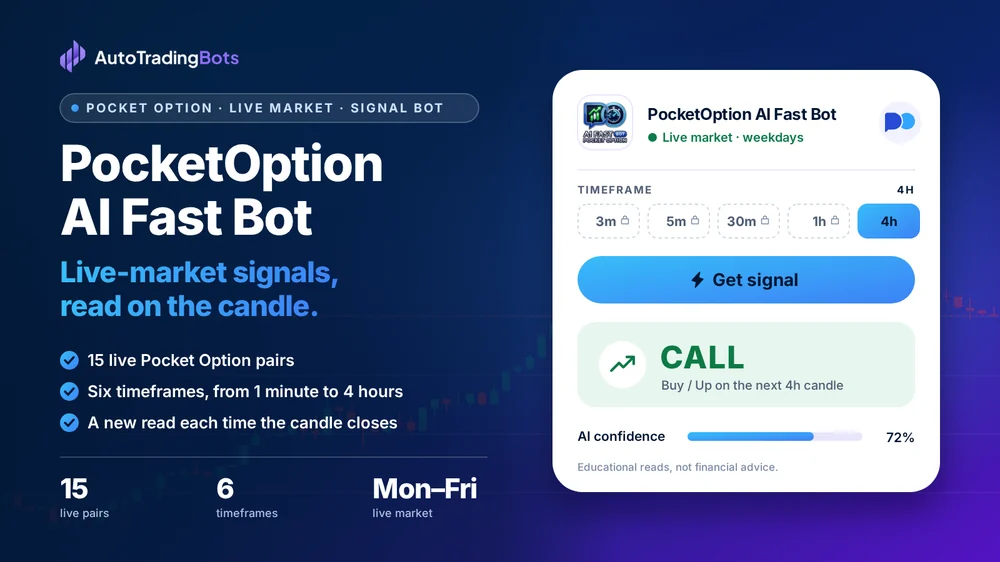
PocketOption AI Fast Bot: Live-market signals, read on the candle. 15 live Pocket Option pairs. Six timeframes, from 1 minute to 4 hours. A new read each time the candle closes. Its app on the right shows a CALL read with its AI confidence.

Choose a timeframe

How to Choose a Timeframe on Pocket Option, 1 Minute to 4 Hours

The bot reads six timeframes. The one you pick sets how long each candle runs and how often the bot reads again, so match it to how you trade.

  1. 1m

    For a 1-minute strategy

    A new read every minute while the bot runs. Each read is gone quickly, so decide before you start how you will act on CALL, PUT and NO TRADE.

  2. 3m and 5m

    Short candles, a little more room

    A new read every 3 or 5 minutes. That leaves time to check each read against your own chart before the candle closes.

  3. 30m and 1h

    Reads across a session

    A new read every half hour or every hour. Useful when you check in a few times a day rather than sit at the screen.

  4. 4h

    The free timeframe

    A new read every four hours, free to try without an account. A good place to compare reads with your chart before you unlock the faster ones.

Every read shows the same three inputs, trend, momentum and volatility, so you see more than one indicator's view at each pace. The bot never scores a read as a win or a loss, and no timeframe turns a read into a forecast.

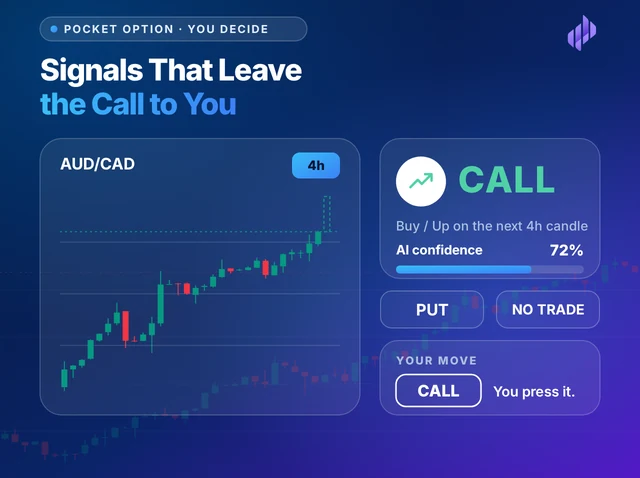
Illustration titled Signals That Leave the Call to You: a candlestick chart for AUD/CAD with a dashed next candle, a read card that says CALL with 72% confidence, PUT and NO TRADE options, and a CALL button marked Your move
Never asks for your password

You decide

Pocket Option Signals That Leave the Call to You

The bot gives you one answer for the pair and timeframe you chose: CALL, PUT or NO TRADE, with a confidence score and a countdown to the close. You check it against your own chart and place the trade yourself on Pocket Option.

  • It never asks for your Pocket Option password
  • It never touches your balance or places a trade
  • NO TRADE is an answer: sit that candle out
  • Your last twenty reads stay on your device
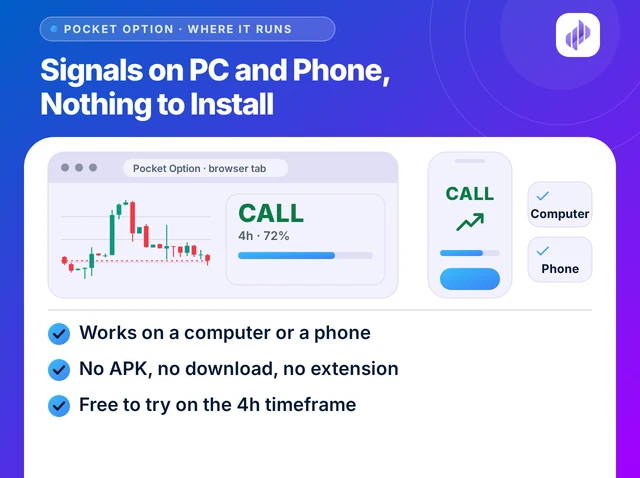
Illustration titled Signals on PC and Phone, Nothing to Install: a browser window with a chart and a CALL read, a phone showing the same read, and the lines Works on a computer or a phone, No APK, no download, no extension, and Free to try on the 4h timeframe
Runs in a browser tab

Where it runs

Pocket Option Signals on PC and Phone, Nothing to Install

Open this page on a PC, a laptop or a phone and the bot is already running in the browser. There is no APK, no program to install and no channel to join. Keep your Pocket Option tab beside it and read the same pair on both.

  • Works on a computer or a phone
  • No APK, no download, no extension
  • Reads the pair you pick, when you ask
  • Free to try on the 4h timeframe

Telegram or this page

Pocket Option Signal Bot: Telegram Channel or In-Page Bot?

Both put a signal in front of you. They differ in who picks the pair, when the signal arrives and what you need to join.

Pocket Option Signal Bot: Telegram Channel or In-Page Bot?
What to compareA Telegram signal channelThis in-page bot
Who picks the pairThe channel owner picks what to postYou pick it, from 15 live pairs
When a signal arrivesWhen the owner posts itWhen you tap Get signal, then each time the candle closes
TimeframeThe one the post namesYours to choose, from 1 minute to 4 hours
What each signal showsWhat the owner writes in the postCALL, PUT or NO TRADE, a confidence score, trend, momentum and volatility
What you needThe Telegram app and a channel to joinA browser: nothing to join, nothing to install
Your historyIn the channel's chatYour last twenty reads, on your device only

Pairs

15 Live Pocket Option Pairs You Can Read

The pairs behind Pocket Option's live market. Each one reads on every timeframe the bot offers.

  • AUD/CAD
  • AUD/CHF
  • AUD/JPY
  • AUD/USD
  • UKOIL
  • CHF/JPY
  • EUR/AUD
  • EUR/CAD
  • EUR/CHF
  • EUR/GBP
  • EUR/JPY
  • EUR/USD
  • GBP/AUD
  • GBP/JPY
  • GBP/USD

FAQ

Questions People Ask First

Unofficial: not made or endorsed by Pocket Option. Educational tools, not investment advice. Trading carries a risk of loss; read the Risk warning first.

Free with a partner broker

Get Every Timeframe on Pocket Option's Live Market

Open your account through us and every timeframe opens, free. Keep your own account on a paid plan.

Partner program

Know Traders? Earn 40% Every Month.

Followers who trade Pocket Option's live market can read it with the AI Fast Bot, right in their browser. Each time one of them pays for a plan with your coupon code, you receive 40%, for as long as they stay.

  • 40% for life
  • Paid monthly
  • No cap
Partner earningsRecurring

40%of every payment your referrals make

  • Your share40%
  • PaidEvery month
  • LastsWhile they stay
  • Earning capNone

Commission is paid on the plans your referrals buy, not on sign-ups. Trading carries a risk of loss; read the Risk warning first.

Pocket Option users

What Traders Say About the AI Fast Bot

Free access

Get Every Bot for Free

Message our 24/7 support team. They help you open an account with a partner broker, then send your free access key for all 14 bots.

Already have a licence key?

Replies usually arrive within minutes during business hours.